
Permanent world Open
Homestead
A Create survival town that has never reset. Come and live in it.
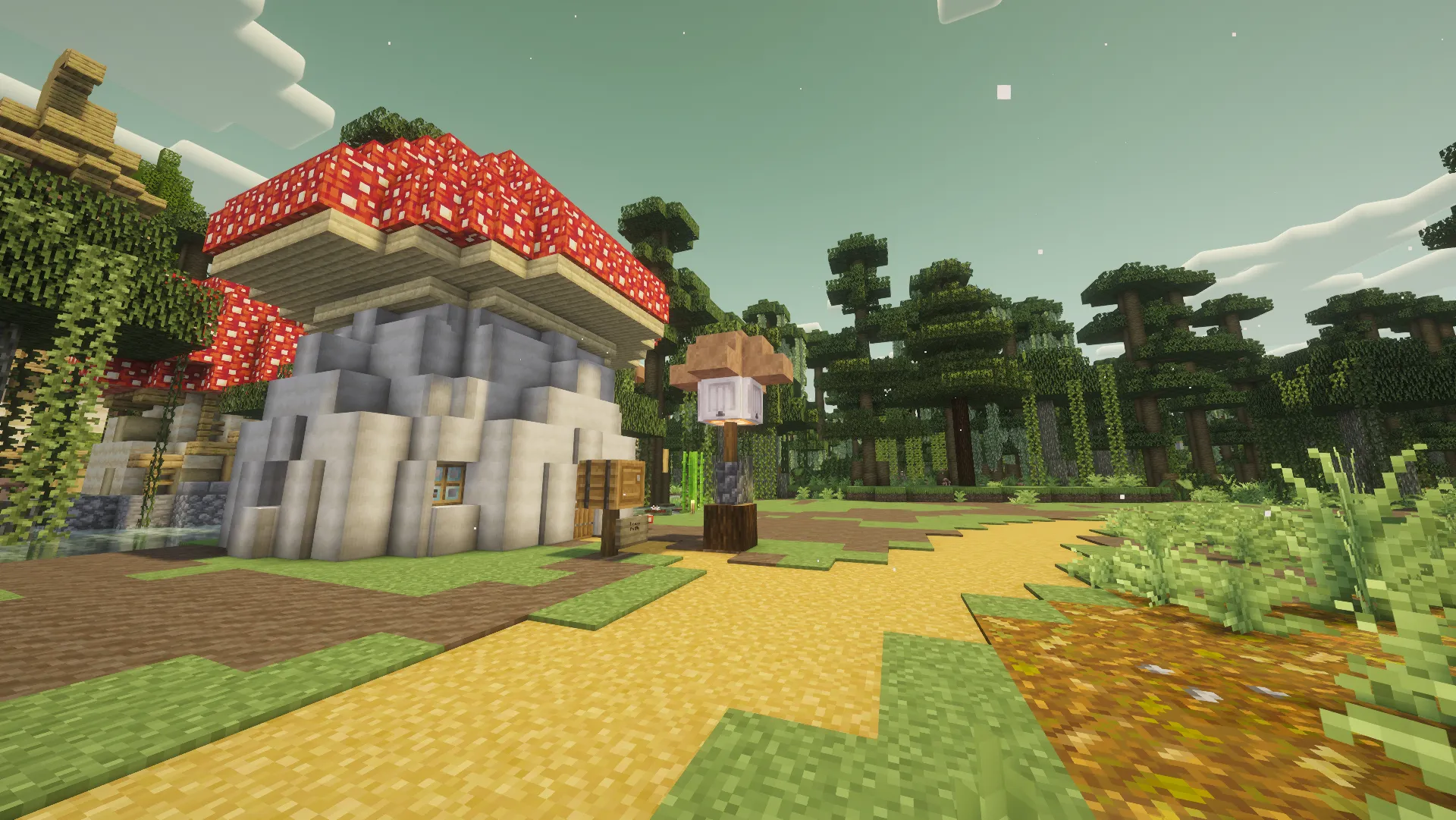
A cottage on the garden path · built and shared by ollins
Why people stay
Everything you build stays
The world has never been reset. Towns, rail lines and machines that people started in June are still standing, still being extended, and still theirs.
Create, and enough tech to matter
Create is the spine of the world: contraptions, trains, factories. Cozy survival around it — farming, building, exploring — rather than an expert-pack gauntlet.
People are usually about
Proximity voice chat is built into the pack, so meeting someone in a market is a conversation. Claims and chunkloading mean your machines keep running when you log off.
You can see a long way
Distant Horizons renders the horizon rather than fog, which changes what building on a ridge is for.
The railway
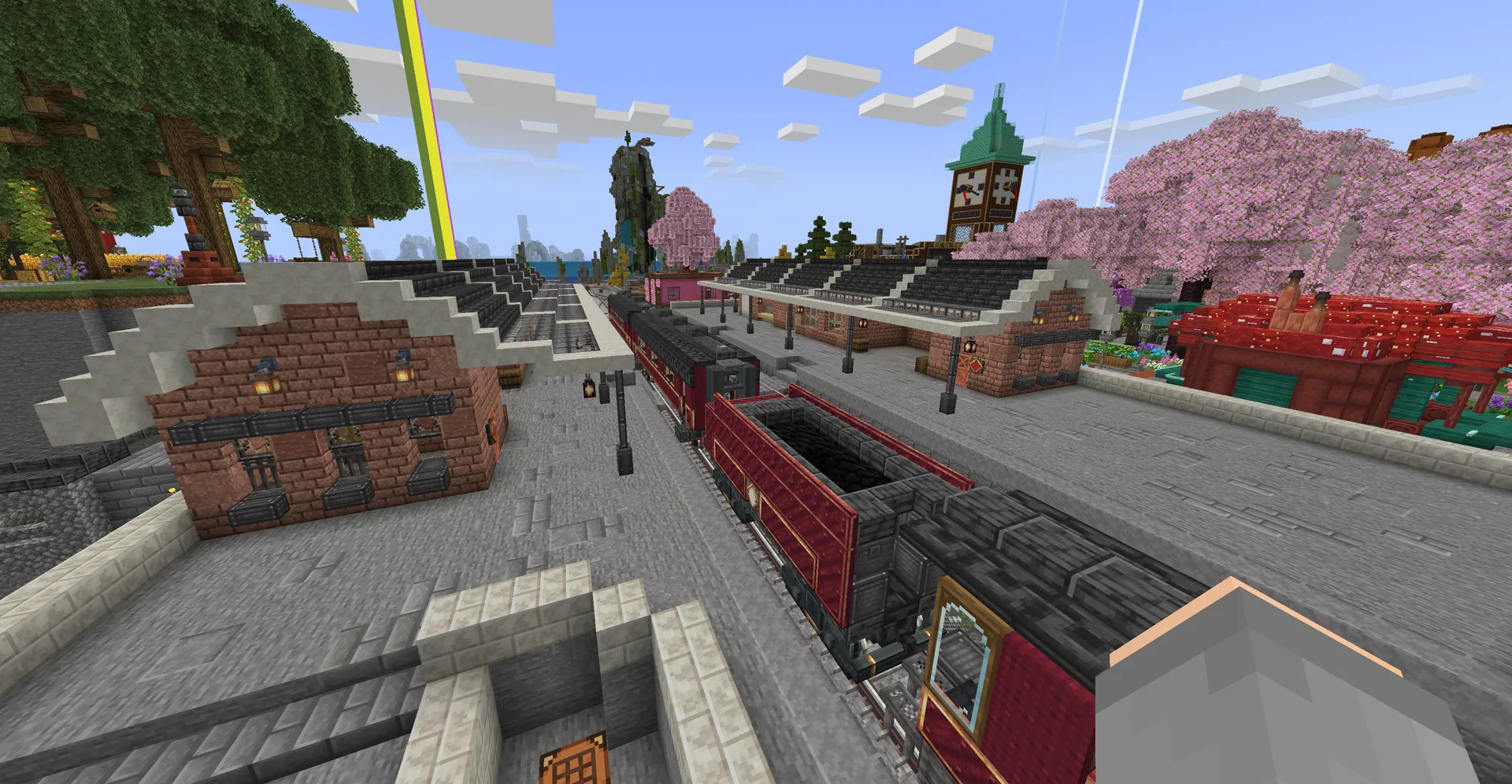
A Create-powered network runs outward from spawn and is permanently half-finished, which is most of the fun. Stations get built because somebody decided their district needed one, and the line reaches you when it reaches you.
It is also how the market works: the storefronts on the boardwalk are a walk from the platform, and most of them are a stop on somebody’s line.
Where it is
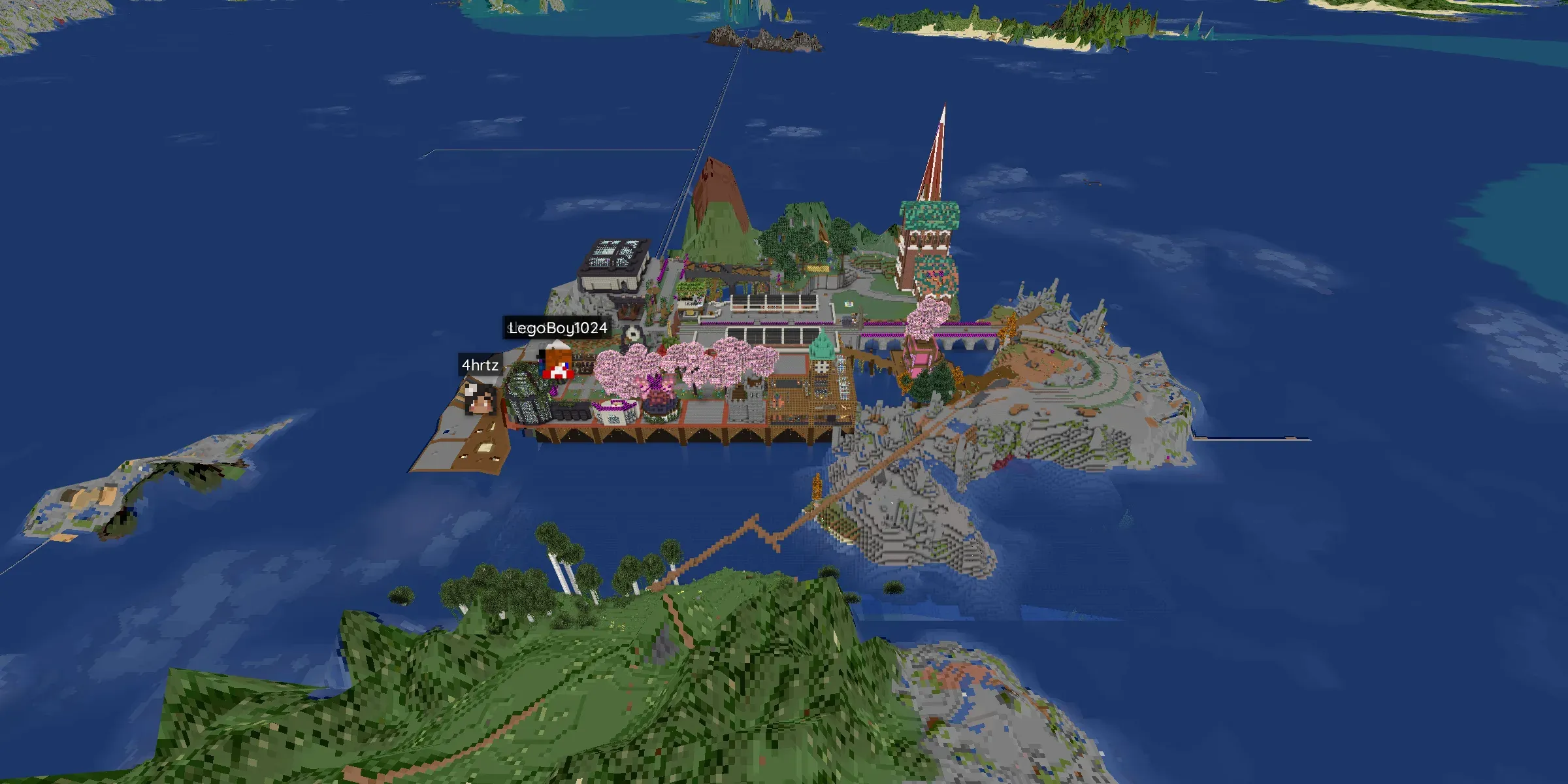
Rendered from the live world
Spawn town sits on an island; the rail bridges run off it in three directions and the districts spread out from there. This render is the real world — open the live map and you can walk it before you install anything.
Setting it up
One profile carries the mods, the settings and the server address. You do not add a server by hand and there is nothing to type.
- Profile
- Homestead 1.3.6
- Minecraft
- 1.20.1 · Fabric
- Java
- Java 17
- Memory
- 6–8 GB
The official profile bundles the right Java. If your launcher asks, pick Java 17 — Java 8 or 11 will crash on startup. Allocate 6–8 GB of RAM. Going above 10 GB helps nothing. Above 10 GB helps nothing.
When the server updates, AutoModpack offers a sync on join — accept it and restart when prompted. That is the one update you should always take.
The server address ships inside the official profile — no manual setup, no typos.
Getting your bearings in Homestead
Checked 5 September 2026
Cosy survival with quests, farming and rather more Create machinery than anyone planned. Here is everything worth knowing on day one.
Your first stop
You arrive at spawn — the station, the boardwalk and the market district all grew up around it. Have a look before you walk anywhere: most of what is there is a public project somebody built on purpose. When you join, feel free to /rtp or have a look at the live map first.
The live mapBack to spawn from anywhere — spawn is a warp, not a /spawn command.A random spot out in the world when you want somewhere empty to start.Making somewhere yours
Set a home the moment you pick a spot, before you start digging. You get three of them, so name them.
Save where you are standing under a name. Up to three homes each.Go back to it. Ten-second cooldown.Return to where you last teleported from — or died. Thirty-second cooldown.Getting about
A Create-powered railway runs outward from spawn and is permanently half-finished, which is most of the fun. For a fresh start somewhere empty, the random teleport drops you between 500 and 5,000 blocks out — never in the End.
The live mapA random spot 500–5,000 blocks away. Two-minute cooldown.Ask someone to let you teleport to them.Protecting what you build
Claim your base early — a claim keeps other people from changing your build while you are offline, and chunk-loading keeps your machines running when you log off. Claims are made on the FTB Chunks map screen, not with a command.
Opens the map. Left-click a chunk to claim it, then again to load it.Shops and public places
The market is player-run: real storefronts at real coordinates, stocked and priced by the people who own them. Opening your own is one Discord command and a photograph.
Browse the marketIn Discord, not in game. It asks for the details.When something breaks
Ask in #help with your username, your launcher, the pack version and a screenshot or a log link — that combination gets an answer fastest. Never update the pack yourself: when the server updates, AutoModpack offers the sync as you join, and that is the one update to always accept.
Troubleshooting
Limits and cooldowns above are the values this world is actually running, checked 5 September 2026. Nothing here is ever run for you — copy a command and use it yourself.